I received a mailed notice about the Apple Intelligence settlement while using an iPhone 16 Pro Max. I used the Claim ID and PIN printed on the notice to file online and reached the final claim confirmation screen.
If you have been searching for an iPhone 16 Pro Max partial refund, here is my experience, step by step, in the same order as my photos. This is a settlement claim rather than a standard product return or refund. I have completed the application; this is not a report of money already received.
1. Receiving the settlement notice
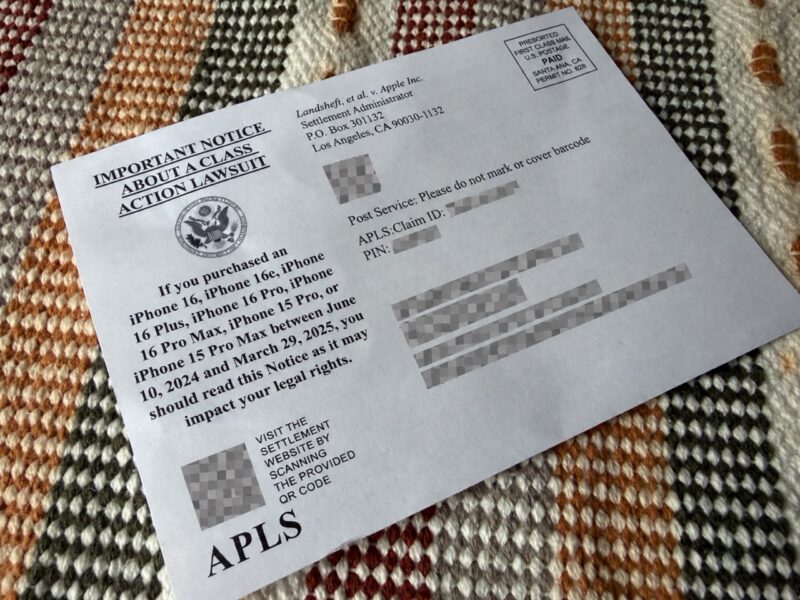
The notice identified a class action settlement and listed the covered iPhone models. My iPhone 16 Pro Max was among the models shown.
The useful details for starting my application were the Claim ID and PIN. I kept the notice nearby while applying. My name, address, identifiers, and codes are hidden in the photo shared here.
2. Reading the payment information
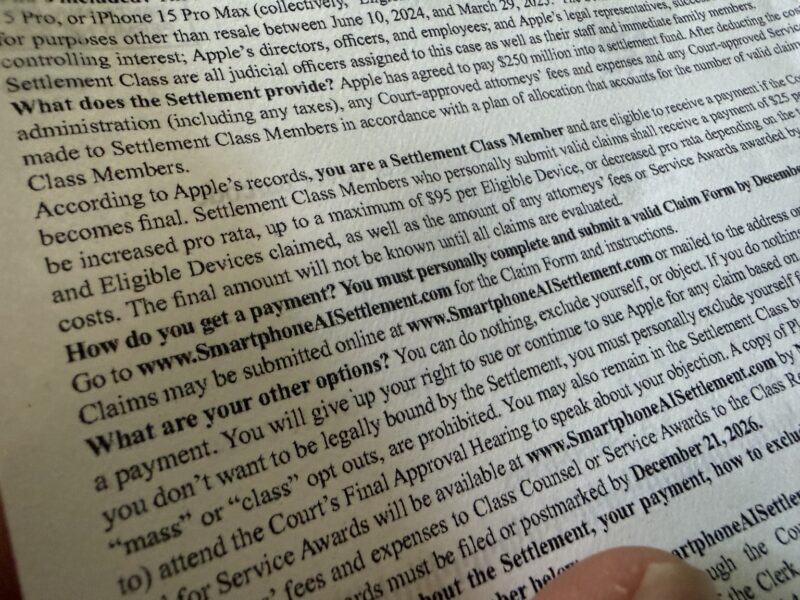
The notice describes a settlement involving claims that buyers expected certain Siri Apple Intelligence features they did not receive. Apple denies wrongdoing and the allegations against it.
The notice lists a payment of $25 per eligible device, subject to adjustment. The amount can decrease or increase depending on valid claims and other factors, with a maximum of $95 per eligible device. Neither a $95 payment nor a $25 minimum is guaranteed.
Owning the same phone does not automatically make someone eligible. The official criteria include U.S. residency, an eligible U.S. purchase, and original-purchaser status. The purchase window is June 10, 2024, through March 29, 2025, and purchases for resale are excluded. Check the full terms against your own circumstances.
3. Opening the official settlement website
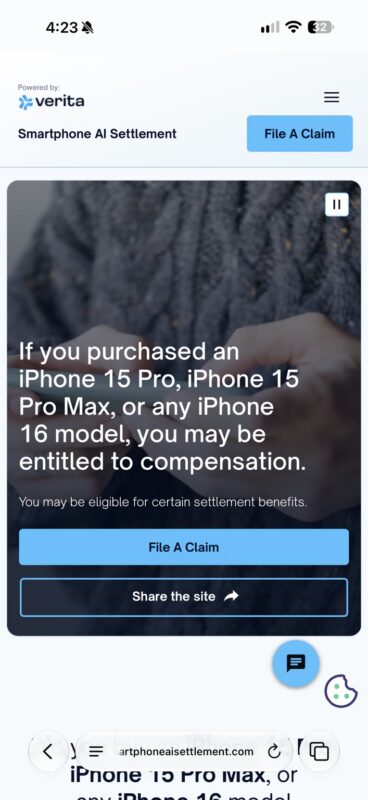
I opened the Smartphone AI Settlement website listed on the notice and selected the ‘File A Claim’ button.
Official website: https://www.smartphoneaisettlement.com/
I completed the process on my phone. After using the official site’s claim button, I reached the application pages at aplsconnect.com, as shown in my screenshots. Starting from the official website makes it easier to check that you are following the intended application link.
4. Choosing the Claim ID and PIN option
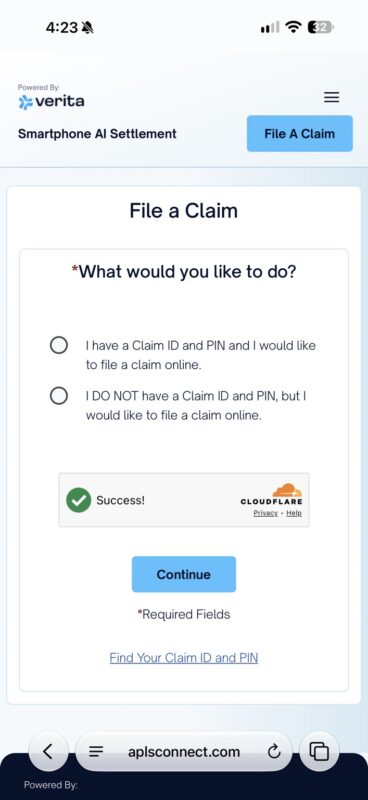
The next screen asked whether I had a Claim ID and PIN. Since both were printed on my mailed notice, I chose the first option and continued.
I then used the ID and PIN from the notice to proceed. I did not take a separate screenshot of the ID-entry screen, but having the notice beside me made this part straightforward.
The screen also offered an option for people without an ID and PIN, along with a ‘Find Your Claim ID and PIN’ link. If you did not receive a notice, review your eligibility and the available instructions before deciding whether to apply.
5. Selecting an individual claim
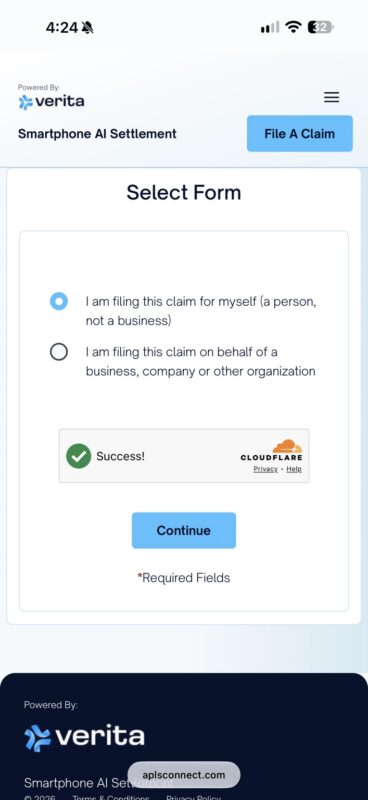
On the ‘Select Form’ screen, I chose the option to file for myself as an individual. The other option was for a business, company, or organization. I then tapped ‘Continue’.
Having the mailed information made it easy to get started. However, entering an ID and PIN is not the entire application: you still need to read and complete the remaining requested information and confirmations.
6. Reviewing the certification and submitting
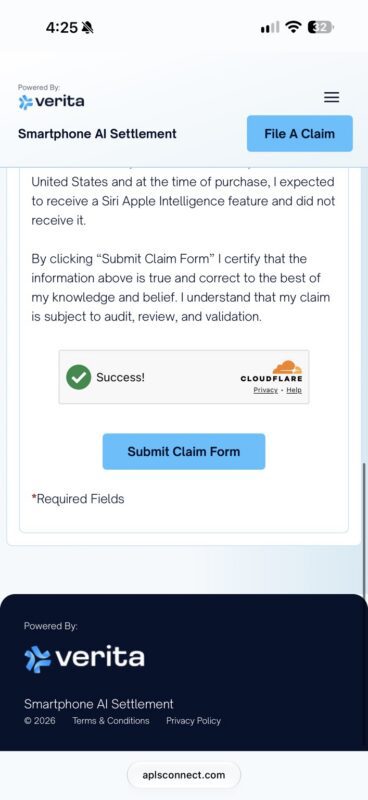
The final part of the form included a certification that the information provided was accurate and that the claim could be reviewed and validated. It also referred to expecting certain Siri Apple Intelligence features at the time of purchase and not receiving them.
After reviewing the information and checking that it matched my circumstances, I tapped ‘Submit Claim Form’. The security check’s ‘Success!’ message was not the claim submission confirmation. I continued until the next screen appeared.
7. Reaching the Claim Submitted screen
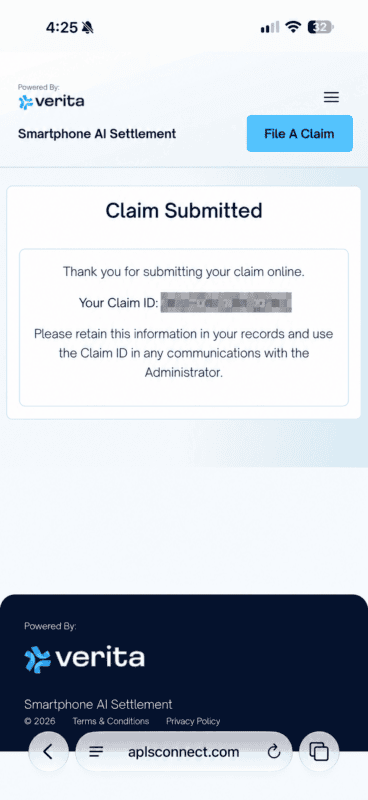
The final screen displayed ‘Claim Submitted’, thanked me for filing online, and showed my Claim ID. This was the confirmation that I had completed the online submission.
The page instructed me to retain the information and use the ID in communications with the administrator. I captured this screen for my records and hid the number in the public version of the screenshot.
What is the deadline, and when will payment arrive?
The official claim deadline is December 21, 2026. The final approval hearing is scheduled for February 24, 2027, but that is not a payment date. Check the official website for any changes before applying.
My experience filing the claim
With the Claim ID and PIN from the notice, starting the application on my phone was straightforward. My sequence was: read the notice, open the official website, choose the claim route, select an individual application, review the form, and submit.
If you are looking into an iPhone 16 Pro Max Apple Intelligence settlement claim, first check your eligibility and keep your notice handy. Submission and payment are separate stages, so retain your confirmation and Claim ID after filing.
Official source: https://www.smartphoneaisettlement.com/
Dates and claim instructions: https://www.smartphoneaisettlement.com/important-dates-deadlines/
Written October 4, 2026. This post documents my personal online filing experience.
Leave a Reply